


Rummy Rush - Classic Card Game
4.83.46K Reviews
App Specs
- Version
- 3.22.11
- Updated On
- License
- Free
- Downloads
- 1,000,000+
- Developer
- Beach Bum Ltd.
- Categories
- Card
- Platform
- Android, iOS
Screenshots

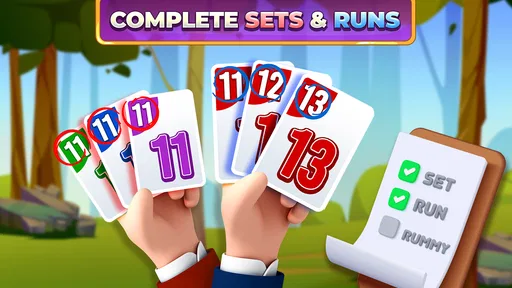



 Analysis by AppCompare
When a mobile card game feels confusing before the first hand is even dealt, I tend to leave it unopened. Rummy Rush - Classic Card Game is easier to approach than that: its central appeal is familiar rummy played on a phone, with the option to bring other people into the experience. Still, the smoothest first session depends on knowing what kind of game you want, how much time you have, and whether you are comfortable playing online rather than around a physical table.
Where a first session can snag
The basic goal of rummy is straightforward, but newcomers can get stuck on the distinction between making a valid set and building a run, or on deciding when to hold a card rather than discard it. A tutorial can help you learn the rules, but I would treat the first few hands as practice, not as a test of how good you are. Focus on understanding the flow of a turn before worrying about winning or moving into a more competitive match.
Another point of friction is expectation. The familiar card-table format may suggest a quiet solo pastime, while the game’s emphasis is on multiplayer play. If you open it hoping for an offline game to fill a long stretch without a connection, check that expectation before settling in. It is a better fit when you are ready to play with other people and can give a hand your attention.
Simple checks before you play
Before a match, I’d make sure the device has a stable internet connection and enough battery for the time I want to spend playing. Online card play is sensitive to interruptions: even a brief connection drop can be more frustrating when other players are waiting than when you are simply browsing a menu. If a table takes longer than expected to load, I would first check the connection and try again rather than repeatedly tapping around.
It is also worth confirming that the device can run the current release. The game is free to download, is rated for Everyone, and its minimum Android requirement is version 7.0; the current version is 3.22.11. Beach Bum Ltd. is the developer. On iOS or Android, I’d keep the app updated through the relevant store and restart it if a session behaves oddly after an update. Those are ordinary checks, but they can prevent a setup issue from looking like a gameplay problem.
How the game fits into a routine
I find this game fits best into a routine when I can give a hand my attention rather than treating it as something to tap through while doing other things. A quick check of my connection and available time helps me avoid leaving a live match at an awkward moment. From there, the key question is whether I want the social pace of online rummy or the flexibility of a quieter card game.
A familiar format with a social focus
Recently, I got my hands on Rummy Rush - Classic Card Game, and let me tell you, it’s quite the experience. If you're a fan of card games, especially rummy, this app might just become your new favorite pastime. Let me walk you through my journey with it.
Worth Reading Before You Choose

EA SPORTS FC Mobile 26 Is a Bigger Football Game, but It Takes Time

Flipboard Shows What News Apps Must Do Beyond the Feed

Switching to Android Auto Means Rethinking Your Driving Routine

Google Calendar Makes a Crowded Week Easier to Manage

Ludo King Makes the Most of the Minutes Between Plans

Baby Panda World Brings Quick Play to Modern Phones, but Its Game Library Feels Busy
Gameplay and Features
The game stays true to the classic rummy rules, which is a huge relief if you’re a purist like me. You start with a hand of cards and aim to form sets or runs. The app offers a variety of game modes, including single-player and multiplayer. This means you can challenge your friends or go head-to-head with random players from around the world.
One feature that stands out is the tutorial for beginners. It’s detailed enough to get you comfortable with the rules but not so overwhelming that you lose interest. For seasoned players, the app offers various difficulty levels to keep things challenging and engaging.
Social and Connectivity
What’s a card game without a bit of social interaction? Rummy Rush doesn’t disappoint in this area. The app has a chat function that lets you communicate with your opponents. It’s a nice way to make new friends or engage in some light-hearted banter. Plus, the matchmaking system is quick and efficient, ensuring you’re never waiting too long for a game.
Rewards and Progression
I love games that give you a sense of progression, and this app does just that with its rewards system. You earn coins and bonuses as you win games, which can be used to enter higher stakes matches. There’s also a leaderboard that fuels a bit of competitive spirit, pushing you to climb the ranks and prove your skills.
The rewards loop can make each result feel meaningful, but I would not treat a higher-stakes table as a shortcut to improvement. If you are still learning, staying with lower-pressure play gives you room to notice patterns: which cards opponents keep, when a discard may be useful to someone else, and whether you are holding too many possibilities instead of committing to a plan. The practical benefit is better decision-making, not a promise of wins.
Customization and Personalization
One of the cool aspects of Rummy Rush is the level of customization it offers. You can change the themes, card designs, and even the avatars. It’s a fun way to personalize your gaming experience and make it truly yours.
For longer sessions, I’d choose a card design that makes suits and values easy for me to distinguish, rather than picking only for appearance. That small preference matters when the table is moving quickly: clear card faces help me scan my hand without repeatedly pausing to check what I have. Personalization is most useful when it improves readability; cosmetic choices are a bonus, not a reason to keep playing if the underlying pace is not for you.
Choosing the right moment and company
A realistic use case is a short break when I have time to finish a hand and can stay connected, or an informal game with friends when everyone wants the same familiar card format. Multiplayer gives the game a livelier feel than practicing alone, while the social features can make a match less anonymous. I would avoid starting a hand when I know I may need to put the phone away suddenly; a live game is not as easy to pause as sorting a deck at home.
Compared with a physical rummy game, the app removes the need to gather and deal cards, and it makes opponents easier to find. The trade-off is that a screen cannot reproduce the conversation, shared table, or flexible pace of playing in person. Compared with other mobile card games, its appeal is narrower and more specific: it makes sense if rummy is what you want, but it is not a broad collection of card formats for someone who likes changing games every few minutes.
It is best suited to people who already enjoy matching cards into sets and runs, or who are willing to learn the rhythm through the tutorial. If you prefer solitary, pause-anytime play, or dislike competing with strangers, a physical deck with friends or a single-player card game may be more comfortable. I also would not recommend chasing leaderboard position if competition makes a casual pastime feel like an obligation.
Purchases, pacing, and sensible limits
The game is free to start, but it includes in-app purchases priced from $0.99 to $319.99 per item. That broad range makes it worth checking the purchase screen carefully before confirming anything, especially if you share a device or payment method. I would decide in advance whether I am comfortable spending at all; the presence of optional offers does not mean a purchase is necessary to learn the rules or enjoy a casual session.
The original experience also notes ads and describes them as easy to skip, though any ad can still interrupt the rhythm of a quick break. If your priority is uninterrupted play, that is a real trade-off to weigh rather than a minor detail. The game has a 4.9 average from around 45,000 ratings, about 3,400 written reviews, and more than 1 million installs, which suggests a substantial audience, but those figures cannot tell you whether its pace or social style suits you personally.
Recovering when a match goes wrong
If a game freezes, matchmaking stalls, or the screen does not respond as expected, I would avoid making several rapid taps that could trigger an unintended action once the app catches up. First check whether the connection is still working, then give the screen a moment. If the problem persists, close and reopen the app, and make sure it is current. If only one match has felt awkward, it may have been a temporary connection issue rather than a reason to assume the rules or your account are at fault.
For a confusing result, go back to the tutorial or replay the situation mentally before changing how you play. It is easy to blame matchmaking when an opponent wins, but reviewing what you discarded can be more useful: a card that seemed harmless may have completed another player’s combination. This is a practical way to turn a frustrating hand into a lesson without assuming that every loss points to a technical fault.
When the app is not the cause
Not every disappointing session comes from a glitch. A weak connection, a low battery, a crowded moment when you cannot concentrate, or a mismatch between your preferred pace and live multiplayer can all make the game feel worse than it is. Chat can add warmth when people are friendly, but it also means the social layer may not be everyone’s preference. If you want a quiet, predictable game, muting the social side where available or choosing a different kind of card pastime may be the better answer.
Rummy also involves uncertainty: you can make sensible choices and still lose a hand. I find it more enjoyable when I treat each round as a small puzzle rather than a reliable way to climb a ranking. Set a stopping point before playing if you are prone to chasing a loss, and take a break when competition stops being fun. That advice matters especially when rewards and higher-stakes matches make it tempting to keep going.
My practical verdict
Overall, Rummy Rush - Classic Card Game is a delightful app for card game enthusiasts. Whether you’re in it for the competition, the social interaction, or just some casual fun, this app has something to offer. It’s well-designed, engaging, and stays true to the essence of classic rummy. So, if you’re looking to spice up your card game collection, I’d highly recommend giving it a try.
My recommendation is strongest for someone who wants rummy on hand, enjoys live competition, and is comfortable learning through a few imperfect rounds. It is less convincing for people who need offline reliability, dislike interruptions, or want a large variety of card games in one place. For the right player, the combination of familiar rules, social matches, and personal touches makes it an easy game to return to; just keep spending and play time intentional, and let the quality of the hands—not the leaderboard alone—decide whether it earns a regular place on your phone.
Pros
- Smooth and intuitive interface.
- Quick matchmaking for online play.
- Multiple game modes available.
- In-game tutorials for beginners.
- Supports offline play mode.
Cons
- Contains in-app purchases.
- Requires constant internet connection.
- No chat feature in multiplayer.
- Ads can be intrusive at times.
- Limited customization options.
FAQs for Rummy Rush - Classic Card Game
What is Rummy Rush and how do I play it?
Rummy Rush is a classic card game app that brings the traditional game of Rummy to your mobile device. The objective is to form sets or runs of cards to accumulate points and beat your opponents. The app offers both single-player and multiplayer modes, making it perfect for casual play or competitive matches with friends.
Is Rummy Rush free to download and play?
Yes, Rummy Rush is free to download and play. However, it does feature in-app purchases that can enhance your gaming experience. These purchases might include additional coins, special decks, or ad-free play. Players can enjoy the full game without spending money, but optional purchases can offer added benefits.
Can I play Rummy Rush offline?
Rummy Rush requires an internet connection for the multiplayer mode, allowing you to compete against players worldwide. However, it also offers an offline mode where you can play against AI opponents. This is ideal for practicing your skills or enjoying the game when you don't have access to the internet.
Is Rummy Rush suitable for all ages?
Rummy Rush is designed to be family-friendly and suitable for all ages. The game features simple rules and an easy-to-navigate interface, making it accessible for younger players. However, parents should be aware of in-app purchases and ensure that children have permission before making any transactions.
What are the system requirements for Rummy Rush?
Rummy Rush is available for both Android and iOS devices. It requires Android version 5.0 or higher, and iOS version 11.0 or later. The app is optimized for both smartphones and tablets, ensuring a smooth gaming experience across various devices. Make sure your device meets these requirements before downloading.


